
Most Teams Still Write SOPs by Hand. That's a 3-Hour Problem You Can Solve in 10 Minutes.
Your senior technician knows exactly how to run that process. But it's all in their head. And if they leave next month, that knowledge walks out with them.
Writing it down sounds simple. But sit someone down to document a physical process from scratch and you're looking at 2-3 hours of writing, formatting, and screenshot-hunting. Most ops managers don't have that time. So the docs never get written.
That's the gap video-to-SOP tools fill. You record the process. The tool does the rest.
But these tools are not all built the same way. Some are screen capture tools pretending to be SOP builders. Some work great for digital workflows but fall apart the moment you walk onto a shop floor. And a few actually do what they claim.
Here's a straight comparison of the tools worth looking at.
What Is a Video to SOP Tool and How Does It Work?
A video to SOP tool converts a recorded video of a process into a formatted, step-by-step document with screenshots or images, automatically.
Most people confuse two different categories here. Screen capture tools like Scribe watch what you click on a computer and auto-generate a written guide. That's useful for software training. But it doesn't help you document how to pack a shipment, set up a machine, or prep a kitchen station.
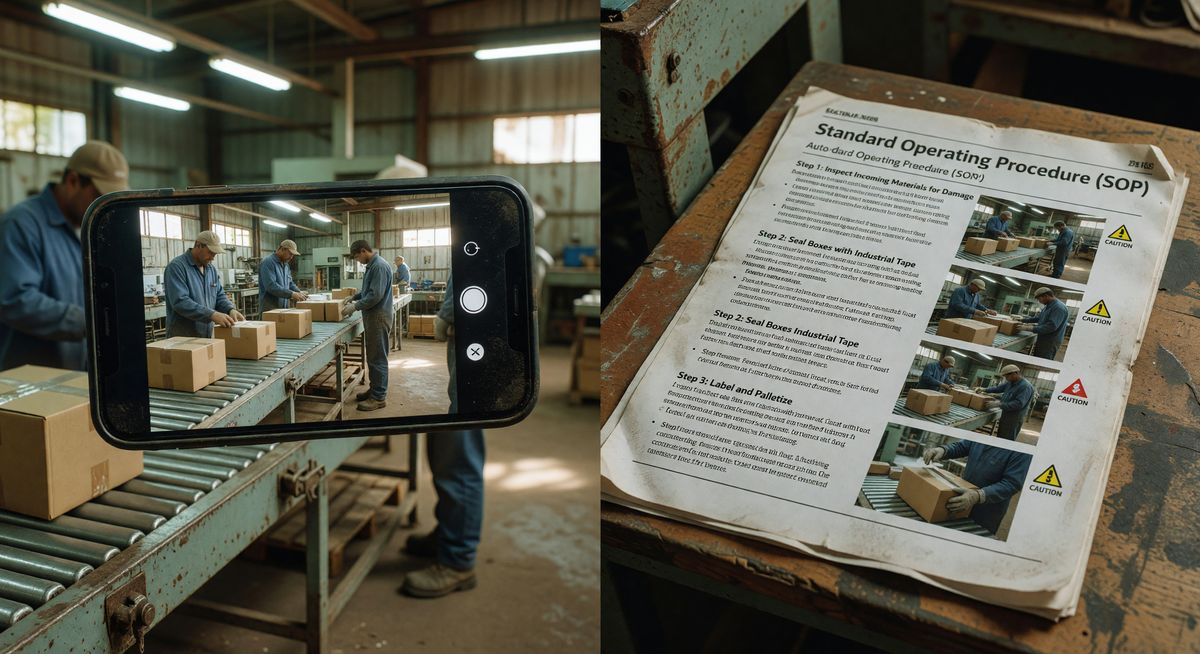
True video-to-SOP tools work from actual video footage. You record with a phone or camera. The AI watches the video, breaks it into steps, pulls key frames as images, and generates text instructions. No typing. No formatting. No chasing down screenshots later.
The difference matters a lot if your team works with their hands.
Which Video to SOP Tools Are Worth Using in 2025?
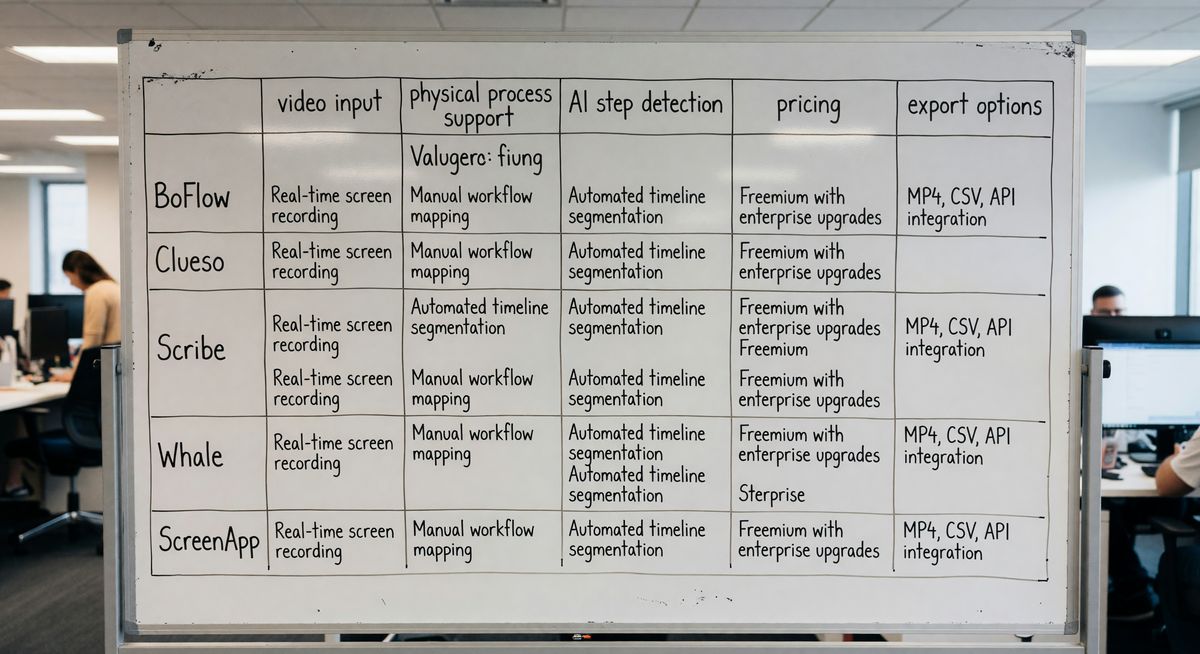
The best video to SOP tools right now are BoFlow, Clueso, Whale, and ScreenApp. Scribe works for screen-based tasks but isn't built for physical process documentation.
Here's a breakdown of each one.
BoFlow
BoFlow is built specifically for physical processes. You record on your phone, upload the video, and the AI generates a step-by-step SOP with screenshots pulled directly from the footage.
It's designed for ops managers in warehousing, manufacturing, food service, and logistics. Not software teams. That distinction matters because most SOP tools on the market treat "documentation" as something that happens on a screen.
Key features: - AI step detection from video - PDF export and QR code sharing - Run sheet checklists (so workers can tick off steps as they go) - Worker management for teams up to 10 - EU server hosting in Germany, which means GDPR compliance out of the box
Pricing starts free, with 2 SOPs to try it. The Pro plan is EUR 4.99 per month. That covers up to 10 team members.
The QR code export is genuinely useful. Print it, stick it on the machine or station, and workers scan it on their phone to pull up the SOP. No app needed.
Check out how it works here: how BoFlow turns video into SOPs.
Clueso
Clueso is primarily aimed at software product teams. It takes screen recordings and turns them into written tutorials and help docs.
It does support video input, but the output is optimised for customer-facing documentation. Think knowledge bases and onboarding guides, not factory floor SOPs.
If you're an ops manager in a software company documenting internal tools, Clueso is worth a look. If you need to document a physical process, it's the wrong fit. The AI isn't trained to interpret physical steps, and you'll end up doing a lot of manual editing to make the output usable.
Scribe
Scribe is one of the most popular tools in this space. But it's a screen capture tool, not a video-to-SOP tool. It watches mouse clicks and keystrokes and generates a click-by-click guide.
It's excellent for documenting software processes. If you need to train someone on how to use your warehouse management system, Scribe does that well.
But it can't watch a video of someone pulling stock, packaging an order, or operating a piece of equipment. That's not what it was built for. If your process happens on a computer screen, use Scribe. If it happens with your hands, you need something else.
Whale
Whale is a full knowledge management platform. It handles SOPs, training, company wikis, and onboarding workflows all in one place.
You can attach videos to SOPs in Whale, and it has an AI writing assistant that helps draft content. But the video-to-SOP conversion isn't automated. You still need to watch the video yourself and write the steps. Whale organises and stores the output, but doesn't generate it from footage.
It's a strong choice if you already have documentation and need a place to manage it at scale. It's not the right tool if your bottleneck is getting the first draft out of someone's head and onto paper.
Pricing is higher than most tools in this list. It's positioned for mid-market and enterprise teams.
ScreenApp
ScreenApp records screens and meetings, then uses AI to transcribe and summarise the content. You can use it to record a video and get a transcript plus a summary of key points.
For physical process documentation, it's limited. The AI summarises what was said, not what was done. If you're narrating a process while you record it, ScreenApp can capture a rough outline. But it won't detect steps visually or pull screenshots from the right moments.
It's better thought of as a meeting recorder with some documentation features. Not a dedicated SOP tool.
Why Physical Process Documentation Is Different
You can't screen-capture someone loading a pallet. No tool watches your hands and clicks.
Physical processes are where knowledge management falls apart for most ops teams. The person who knows how to do it shows someone else in person. That person shows the next person. Three months later, everyone's doing it differently and nobody knows which way is right.
The standard fix is writing it down. But writing a detailed SOP for a physical process from scratch takes time most team leads don't have. So it doesn't happen. Or it happens once and never gets updated.
Video changes that. Recording a process takes as long as doing it. 5 minutes to pack an order means a 5-minute recording. Then the AI does the rest.
This is why video-based capture is where physical SOP documentation is heading. It's not a prediction. Warehouses, food manufacturers, and logistics teams are already using it. The ones who aren't are still relying on word-of-mouth training.
How Do You Choose the Right Video to SOP Tool for Your Team?
Choose based on where your processes happen. Screen-based workflows need a screen capture tool. Physical workflows need a video-to-SOP tool.
Ask these three questions:
1. Where does the process happen? On a screen, Scribe works. On a factory floor, in a kitchen, in a warehouse, you need video input.
2. Do you need the AI to detect steps automatically? If yes, narrow your list to tools with actual AI step detection from footage. That rules out most options.
3. What happens after the SOP is created? Do workers need to access it on the floor? Do you need checklists? Do you need to track who's completed training? Your answer determines whether you need a standalone SOP generator or a fuller platform.
Most ops teams are better off with a focused tool that does one thing well than a complex platform they'll use 20% of.
FAQ
What is a video to SOP tool? A video to SOP tool converts a recorded video into a written, step-by-step standard operating procedure. The AI detects steps in the footage, pulls screenshots, and generates formatted documentation automatically.
Can I use Scribe to document physical processes? No. Scribe is a screen capture tool that records mouse clicks and keyboard actions on a computer. It can't process video of physical tasks. For physical process documentation, you need a tool that accepts video input.
How long does it take to create an SOP from a video? With a tool like BoFlow, the process takes around 10 minutes total. You record the process on your phone, upload the video, and the AI generates the SOP. Manual writing and formatting are not required.
Is video-based SOP documentation GDPR compliant? It depends on where the tool stores your data. BoFlow hosts data on EU servers in Germany, which meets GDPR requirements. Check your tool's data storage location before uploading footage that includes identifiable workers.
What's the difference between a video to SOP tool and a knowledge management platform? A video to SOP tool creates documentation from video footage. A knowledge management platform stores, organises, and distributes documentation. Some platforms like Whale combine both, but their video-to-SOP generation is typically less automated.
Which video to SOP tool is best for warehouse documentation? BoFlow is built specifically for physical environments like warehousing. It handles video input, generates step-by-step SOPs with screenshots, and includes QR code export so workers can access docs directly on the floor. See the warehousing use case here.